
Tasks
SSC-Tracker can distribute task/flight plan data (.pln) and/or weather presets (.wpr) to each group. When a task is available for the group, it is downloaded automatically and stored in the app's task folder.
Task setter
For this to work, the task setter first has to create a group with a secret.
Upload a .pln, optionally a .wpr, and optionally a short piece of info or a URL for your group.
All the options and instructions for creating B21 task files are in the help section of the B21 Task Planner.
Task setters can reset the task progress, or delete the task for the group, on the upload page.
Pilots
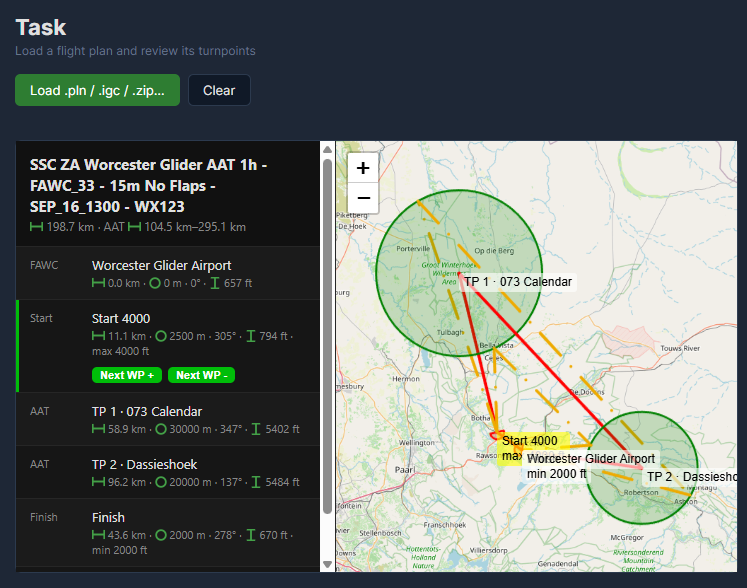
SSC-Tracker checks for newly shared group flight plans and task data by itself and offers them to you as a source on the Task page. With Copy shared flightplan switched on in the settings, the .pln and the weather preset also land in the MSFS folders for flight plans and weather presets.
Click Map to open the map with the flight plan, or click "Task Planner" to open the current task in the B21 Task Planner instead.
If there is no group task, SSC-Tracker tries to load the .pln from MSFS. Alternatively you can upload a .pln for a single flight into SSC-Tracker by hand.
SSC-Tracker follows the task progress of the whole group by itself and shows it on ssc-tracker.org like a live scoreboard. Task progress is only available on the ssc-tracker.org map.
Where a task can come from
A task can arrive from six directions:
| Source | Route |
|---|---|
| Local | A .pln made with the B21 Task Planner, opened through Load. |
| IGC | A recording from the NB21 logger - the flown route is loaded as the task. |
| Group | The task somebody in your group has shared. |
| SimBrief | Through your SimBrief ID from the settings. |
| NB21 logger | Whatever is loaded in the logger, provided sync is switched on. |
| Task generator | From the local interface of the SSC Task Generator. |
When there is more than one option, they are offered under Available from other sources for you to load by hand.
- The logger has the final say: if you actively load a task in the NB21 logger, the logger wins - unless you are already on task: a started, unfinished task is never replaced automatically.
- A task handed in from outside (the local API) is never more than an offer.